MV Storyboard Builder
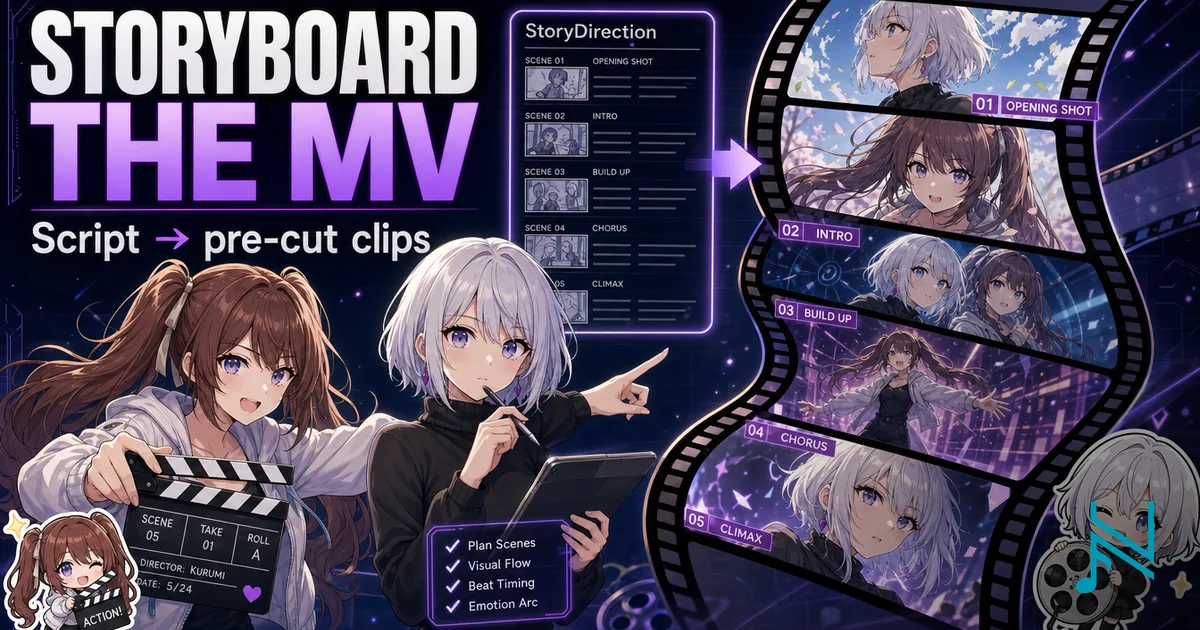
A full client-side pipeline for AI music video production. From StoryDirection to per-cut ScreenplayClip prompts — LightNovel expansion, ScreenplayFull, DirectorSampledFrames, and per-cut video prompts with seed image references.
A client-side pipeline for AI music video production. Write a StoryDirection, configure Content, Characters and Style. The builder assembles advanced prompts that carry your narrative through each production phase.
Object key: StoryDirection · StoryPremise · ScreenplayFull · DirectorSampledFrames · MVClip · MVFull
What to Prepare
| Input | What it is | Notes |
|---|---|---|
| Content | The source material — lyrics, ad copy, or scene script | Provides the raw text the narrative is built around |
| StoryDirection | The story of the full runtime — arc, conflict, resolution | The most important input. Everything GPT generates expands from this. Compressed is fine — GPT fills it out |
| Style | Visual style preset | Conditions the image and video generation aesthetic throughout |
| Format | Aspect ratio, medium, fps, resolution | Applied verbatim to every generated prompt |
| Characters | One entry per character — name + basic appearance string | Used as reference text only. You must provide your own reference images during generation — this tool cannot supply them |
| Transcript / SRT | Song lyrics or script with timestamps (optional) | Can overlap with Content. When provided, used to anchor each VideoClip's Timeline beats to specific lyric phrases |
This tool is a reference implementation, not a production pipeline.
The workflow described here is a manual, client-side approximation of how AI music video production actually works. In practice, professional pipelines run a dedicated backend with agentic skills that handle automatic asset querying, character reference retrieval, cut scheduling, and API-driven generation across image and video models.
None of that is achievable from a documentation page. What this tool gives you is the prompt structure and sequencing — the reasoning behind each step. Use it to understand the workflow and build your own automation on top of it.
Builder
Medium
Aspect ratio
Runtime90s·1m 30s~11–18 cuts
=== UserInputContext ===

CONTENT TYPE: Lyrics / Script

{paste content here}

CHARACTERS:
  Shez: white short wavy haired girl
  Kurumi: brown twintails girl

WORLDS:
  City Streets: night city, neon reflections, rain-wet pavement

PRODUCTION:
  Style: Kyoto Animation — fluid motion, emotional micro-expressions, soft natural lighting
  Format: anime · 16:9
  Tone Arc: Stillness → Unease → Awakening → Unity
Color Arc: Deep black-purple → Crimson and violet → Warm orange-gold → Platinum whiteComplete before submitting:
- Content — paste lyrics, instrumental sections, or product brief
You are a music video director and short-film writer.

TASK: Write a narrative treatment for this music video.

LYRICS / SCRIPT:
{paste content}

CHARACTERS:
  Shez: white short wavy haired girl
  Kurumi: brown twintails girl

SETTINGS:
  City Streets: night city, neon reflections, rain-wet pavement

PRODUCTION CONTEXT:
  Visual style: Kyoto Animation — fluid motion, emotional micro-expressions, soft natural lighting
  Emotional arc: Stillness → Unease → Awakening → Unity
  Color arc: Deep black-purple → Crimson and violet → Warm orange-gold → Platinum white

---

OUTPUT FORMAT:
Write a narrative treatment (400–600 words) using this structure:

  PREMISE
  One-sentence logline.

  ACT 1 — [name]
  2–3 paragraphs. Opening situation, character introduction, inciting moment.

  ACT 2 — [name]
  2–3 paragraphs. Escalation, emotional pivot, visual peak.

  ACT 3 — [name]
  2–3 paragraphs. Resolution or release. Final image.

  VISUAL MOTIFS
  How each motif appears and transforms across the three acts.

  CHARACTER ARCS
  One sentence per character: starting state → shift → ending state.

Constraints:
  - Do not invent character names or locations not listed above
  - Be specific enough that a storyboard director can derive shot count,
    pacing, and spatial geography from this treatment alone
  - If no story direction is given, generate the most cinematically compelling
interpretation of the contentGo to Context & Story → copy the Story Metaprompt → paste into GPT → paste the returned treatment here.
Complete before submitting:
- Story required — paste it above first
You are a literary author writing a light novel chapter for a music video.

TASK
Expand the StoryPremise into a richly written light novel passage.
This will be the primary narrative source for a music video screenplay — every scene needs dense, felt material to draw from.

REQUIREMENTS
- Write in close third-person. Stay inside the POV character's perspective — what they see, feel, notice, and think.
- Expand every beat: inner monologue, physical sensations, what each character notices about the other.
- Dialogue: write full exchanges. Characters deflect, hesitate, say the wrong thing, mean something else.
- Do not summarize — inhabit each moment. Slow down for emotionally significant beats.
- Characters may feel, say, and do things implied but not stated in the StoryPremise — serve the arc.
- The full emotional journey — rising tension, conflict peak, resolution — must be felt in the prose.

OUTPUT FORMAT
  ACT 1 — [name]
  [rich prose — 2–4 paragraphs]

  ACT 2 — [name]
  [rich prose — 2–4 paragraphs]

  ACT 3 — [name]
  [rich prose — 2–4 paragraphs]

CHARACTERS
  Shez: white short wavy haired girl
  Kurumi: brown twintails girl
Paste GPT output here. P1 will use it as the primary source for Timeline beats.
Paste the ScreenplayFull output from Phase 1. After ScreenplayEnhanced, replace with the enriched version.
Production Pipeline (How to Use the Builder)
It looks complicated, but you can get started by just initializing the builder with defaults.
What you have to understand is to create a video, the minimum things you need is:
- A prompt to generate an image frame
- A prompt to generate a video from the starting image frame
That is it. It is that simple.
Now you have a 15s clip you can share with the world.
However, it is likely your results will not be professional. Common fail cases include:
1. The image frame looks bad
If your image frame sucks, your video will also suck. Considering that generating video costs 10-20x more than generating an image frame, it is worth it to spend a little more time and money in getting a good image frame.
2. The video clips are inconsistent when joining
A typical video is not a single take; it is made by multiple cuts of video clips. The problem with AI clips is that they are always slightly a little different. When you stitch them together, you start seeing inconsistent character features, movements that ruin the viewing experience.
3. The video pacing is off
If you just let the AI generate the video clips on its own, it will have very boring camera movements and transitions. With better prompting, you can tell it at which second it should cut, what each character should do, and what micro-expressions and movements it should do.
"Wow that's so annoying and lots of work!"
When you put it all together, you will be writing essays and dictionary worth of prompts just to get a few usable clips. It does not have to be this way.
Now that we know what we need, we can actually show another Agentic AI to get us what we need. But first, we have to give them what they need. This is where the 3-Phase Builder comes in.
The builder covers all three phases: Context & Story feeds Phase 1, Phase 1 output feeds Phase 2, and Phase 2 output feeds the video model.
① Context & Story
Configure everything the downstream prompts reference: Content style, format, runtime, characters, motifs, and your StoryDirection.
This will be known as UserInputContext. StoryMetaprompt is just an Instruction prompt appended to the UserInputContext.
Use StoryMetaprompt as an input to an AI like ChatGPT, Gemini, Grok. They will return you a response known as StoryPremise
② Phase 1 — ScreenplayFull
Your first GPT output is StoryPremise. It is an extended version of StoryDirection that is more detailed and complete.
It is optional, and you can custom build something with a better script. The intended purpose of this object is to tell an AI enough outline of the story to return a good enough screenplay.
You don't have to tell the AI your entire novel -- it wont fit in its context. You just need to tell it enough to know how many cuts it needs, and what should be the starting frames be.
There are currently three metaprompts used to refine StoryPremise.
Run them in order for the best results, although you can skip some if you want to.
① Light Novel (OPTIONAL)
What it does: Expands StoryPremise into close third-person prose. Full dialogue exchanges, inner monologue, physical sensation. Characters may say and do things implied but not stated in the direction — as long as it drives the arc.
Why it exists: To be used as personal reference when it comes to making your own MVClip Timeline prompts.
Since video generation models lack the ability to reason about the story, it is discovered that using a LightNovel-styled script as its Timeline parameter allows it to generate very expressive characters.
What you do: Copy the prompt → paste into GPT → paste the output back into the "Light Novel — GPT Output" textarea. Phase 1 signals green when loaded — ScreenplayFull switches to using it as the primary narrative source.
Output format:
ACT 1 — [name]
[rich prose — 2–4 paragraphs]

ACT 2 — [name]
[rich prose — 2–4 paragraphs]

ACT 3 — [name]
[rich prose — 2–4 paragraphs]
② ScreenplayFull
What it does: Generates a structured shot list. Fixed 15s cuts. Each cut has Subject, Environment, Mood, and a TIMELINE.
This will be used as the primary source for MVClip Timeline prompts.
Why it exists: Unless you want to write your own VideoPrompts from scratch for each clip you make, this is the easiest way to get a good starting point.
Source: Uses LightNovel as the primary narrative source when loaded. Falls back to StoryPremise only. The richer the source, the more specific the Timeline beats.
What you do: Copy the prompt → paste into GPT → copy the output. You'll paste it into Phase 2 MVClip.
Output format:
=== ScreenplayFull ===

FORMAT: Kyoto Animation · anime · 16:9 · 4K · 24fps

CHARACTERS:
  Shez — white short wavy haired girl

────────────────────────────────────────────────────────

C001 | [0:00–0:15]
CAMERA: WS · SLOW PAN

Subject:
Shez standing at the rooftop edge, back to camera

Environment:
School rooftop, afternoon, cityscape bleeding into orange horizon

Mood:
Quiet unease · deep amber-blue · opening of departure

TIMELINE
0:00–0:05 — Shez faces away, wind moves her hair
0:05–0:10 — She turns slightly, exhales slowly
0:10–0:15 — Her hands tighten on the rail

TRANSITION OUT: dissolve
③ DirectorSampledFrames (OPTIONAL)
What it does: Generates a contact sheet grid (3×3, 4×4, or 5×5) showing multiple camera framings in the project's visual style. Each cell is a candidate seed image.
Why it exists: Unless you have already generated all the SeedImages you want to use for your video generation, this is the easiest way to get a good starting point.
One of the problems with generating SeedImages individually is they lose consistency, as the AI Image model doesn't know how the images will be used.
A DirectorSampledFrames is the equivalent of a collection of randomly sampled frames in a full video, which is good for consistency.
What you do: Copy the prompt → paste into GPT Image 2 / Nanobanana 2 → you receive a grid image. Recommended to use a high quality and large aspect ratio for best results.
Crop individual panels externally, upscale each one, and use them as SeedImage in Phase 2 for Hero cuts.
Yes, this will be a lot of work. But it is worth it to have a consistent visual style across your video, and also to save money from not generating a lot of individual seed images.
③ Phase 2 — ScreenplayClip
Builds the video generation prompt for every cut. Paste the ScreenplayFull output — the list parses automatically.
① ScreenplayFull (input)
Paste the ScreenplayFull output from Phase 1. The tool parses each cut and renders one row per cut. Replacing the pasted content rebuilds all clip prompts immediately.
② ScreenplayEnhanced (OPTIONAL)
A second GPT pass that rewrites only the Timeline sections — more specific action, more felt beats. If used: copy the prompt → paste into GPT → paste the output back into the ① ScreenplayFull input, replacing the original.
③ ScreenplayClip — per cut
A ScreenplayClip is the video generation prompt for one cut, and will be the final prompt you will submit to the video model.
Copy each clip prompt and submit to your video model with the upscaled seed image attached.
Example ScreenplayClip prompt (Hero cut):
=== ScreenplayFull ===

FORMAT: Kyoto Animation · anime · 16:9 · 4K · 24fps

CHARACTERS:
  Shez — white short wavy haired girl

────────────────────────────────────────────────────────

C001 | [0:00–0:15]
CAMERA: WS · SLOW PAN

Subject:
Shez standing at the rooftop edge, back to camera

DSF Reference: Frame 3 — crop and upscale this panel, attach as seed image

Environment:
School rooftop, afternoon, cityscape bleeding into orange horizon

Mood:
Quiet unease · deep amber-blue · opening of departure

TIMELINE
0:00–0:05 — Shez faces away, wind moves her hair
0:05–0:10 — She turns slightly, exhales slowly
0:10–0:15 — Her hands tighten on the rail

CLIP: 15s
TRANSITION OUT: dissolve

PREV CUT: —
NEXT CUT: C002 | Shez turns fully, her eyes catching the city below
④ Per-Cut Override
Suppose you don't like the camera movements or transitions that GPT has returned for you in its ScreenplayFull response. You can override it here and copy the updated clipped prompts.
Video Model Notes
Only Seedance 2 has been tested with this workflow.
| Model | Tested | Notes |
|---|---|---|
| Seedance 2 | ✓ | Reference image + ScreenplayClip prompt. Verified with this workflow. |
| Sora | — | Specify 24fps explicitly. Full prompt works. |
| Wan 2.1 | — | Open source, run locally. ControlNet for seed image adherence. |
Context Hierarchy
Key observations:
- StoryDirection is the most important input. Everything GPT generates expands from this.
- LightNovel is optional, but produces better ScreenplayFull Timeline prompts.
- DirectorSampledFrames is the only step that touches an image model. Cropping panels is a user action, the tool cannot do it.
- ScreenplayClip has no intermediate GPT step, it is assembled client-side from the parsed ScreenplayFull and the DirectorSampledFrames panel number you enter per cut.
Glossary
User inputs
| Object | Description |
|---|---|
| StoryDirection | The narrative arc — arc, conflict, resolution across the full runtime. The most important input. GPT expands freely from it; it is a seed, not a script |
| Content | Source material — lyrics, ad copy, or scene script. Raw text the narrative is built around |
| Characters | Name + appearance string per character. Pasted verbatim into every downstream prompt. Reference images must be supplied externally during generation |
| Motifs | Recurring visual elements. Woven into LightNovel and ScreenplayFull by GPT |
| StyleConfig | Format parameters: medium, style preset, aspect ratio, runtime. Runtime drives cut count. Defaults to one cut per 15s |
| Transcript / SRT | Lyrics or script with timestamps (optional). When provided, anchors each cut's Timeline beats to a specific lyric phrase instead of distributing evenly |
GPT-generated objects
| Object | Description |
|---|---|
| LightNovel | Close third-person prose expanded from StoryDirection by GPT. Full dialogue, inner monologue, physical sensation. Used if ScreenplayFull script is not expressive enough. |
| ScreenplayFull | Structured shot list from GPT. Used to be disassembled quickly to make ScreenplayClip |
| ScreenplayEnhanced (optional) | ScreenplayFull with only the Timeline sections rewritten by a second GPT pass. Useful if you want to make the Timeline more specific. |
| DirectorSampledFrames | Contact sheet grid (3×3 / 4×4 / 5×5) from GPT Image 2 / Nanobanana 2. Each cell is a candidate camera framing. User crops and upscales individual panels externally to produce SeedImages |
User-produced from GPT output
| Object | Description |
|---|---|
| SeedImage | Any images, preferrably one panel cropped from DirectorSampledFrames and upscaled. Attached as reference when submitting a ScreenplayClip to the video model. Not generated by this tool |
Builder-assembled
| Object | Description |
|---|---|
| ScreenplayClip | Per-cut video generation prompt. Assembled client-side from parsed ScreenplayFull |
Final output
| Object | Description |
|---|---|
| MVClip | One video clip. Generated by a video model from a ScreenplayClip prompt + SeedImage. |
| MVFull | The assembled full video. Stitched in a video editor from MVClip[] in cut order, synced to audio. |